


Building a Virtual Business
By Grant Crawley · 4 June 2026
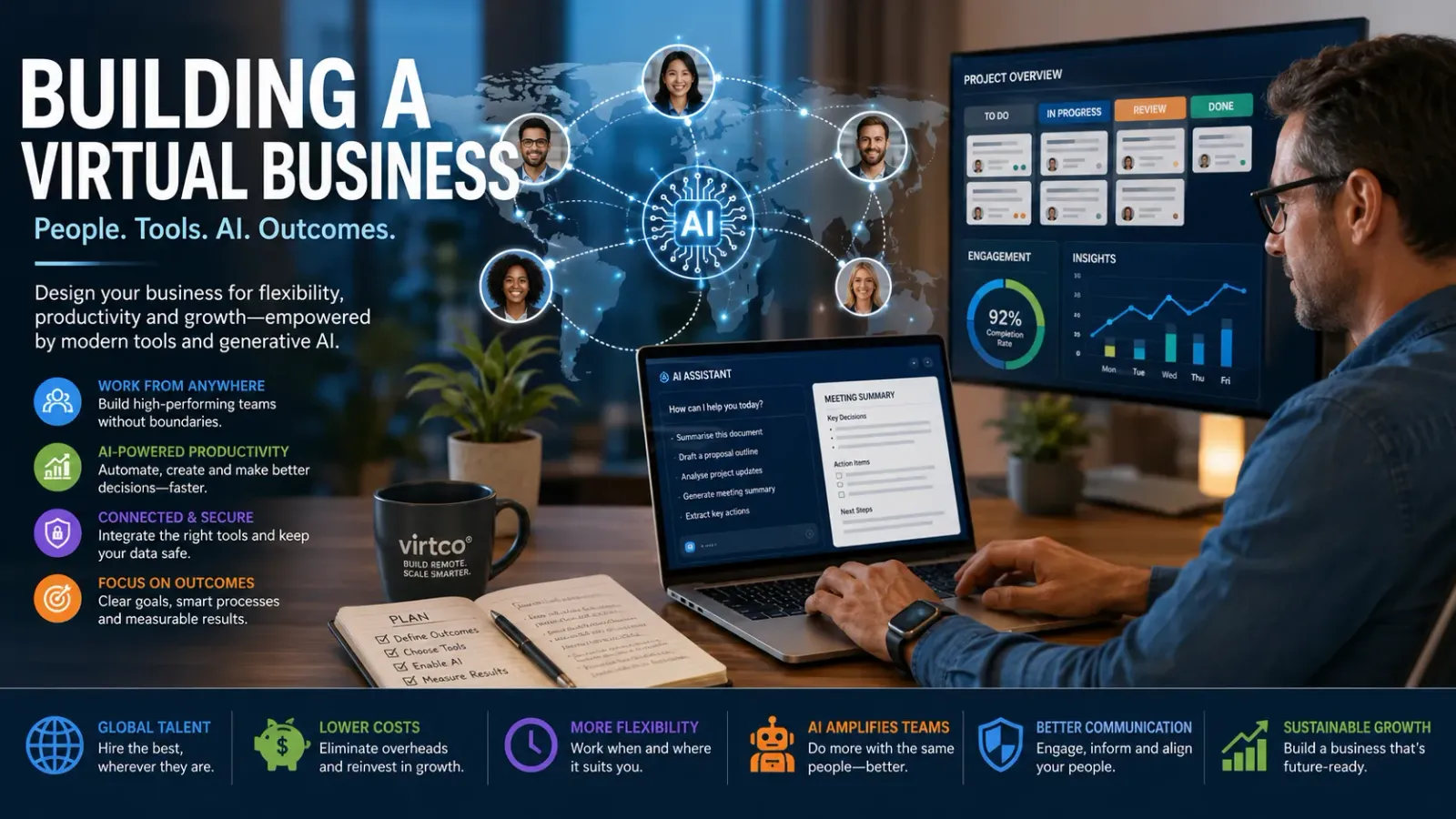
Whether you call it a virtual business, virtual company, teleworking business, remote-first organisation, or remote corporation; it is all essentially the same thing. So, to keep it simple, I am going to refer to it as building a virtual business. My company used to be a brick-and-mortar business, at least up until 2002. That is when I developed a better way for service-based and eCommerce businesses.
Back in 2005, I rebranded my company to Virtco® with the intent to help other businesses become virtual businesses. So far I have done that by building services that help enable businesses to move many of their functions into a virtual space. However, I cannot build all the services you will need to make your business virtual. Even the largest Software as a Service (SaaS) and software companies cannot do that. But I can advise, coach and educate. Showing you which tools and methodologies work, and which ones fit your business best.
The biggest change since the early days of virtual business is the arrival of practical generative artificial intelligence (AI). Remote tools used to help people communicate and coordinate. Modern AI tools can now help those same people draft, analyse, summarise, design, code, test, research, translate, document and automate. That does not mean replacing your team. The best results come when experienced people use AI to amplify their judgement, not when businesses expect software to run itself.
We have seen the extreme end of this in our own Espresso Engage build. A single expert practitioner, supported by large language model (LLM) coding agents, delivered a six-repository, cross-platform enterprise video-learning ecosystem with 70,834 lines of actual code in 398 recorded human hours. Against a Constructive Cost Model (COCOMO) baseline, that represented a productivity multiplier of roughly 62×–74×, with the important caveat that this was a single measured case, not a general average for every project.
Obviously, some businesses just cannot go completely virtual. You cannot manufacture goods virtually or work as a dental clinic or be a restaurant without bricks and mortar. But even those businesses can put some of their operations into a virtual space. Move sales, marketing, customer service, tech support, making reservations or appointments, finance and human resources (HR) out of the office and into a virtual environment. With AI, those virtual functions can now be more productive too: support teams can use AI-assisted knowledge retrieval, finance teams can extract information from documents, and operations teams can generate plain-English summaries from system data.
Now is the right time for many more businesses to go virtual. Especially with the changes forced on many businesses by COVID-19. The reason is no longer just flexibility or office cost reduction. It is also the opportunity to redesign the business around better tools, clearer processes and AI-augmented teams.
How to start a virtual business
By far the easiest way to start building a virtual business is to begin from day one as a virtual business. But that is by no means the only way to go, you can start as a small brick-and-mortar business and then expand virtually. You can build out as a hybrid, with some functions of the business virtual and some functions brick-and-mortar. Whichever way you go will largely be dictated by what your business is planning to do, and how you want to work.
Generative AI should now be part of that design from the beginning. When you are choosing your business model, ask:
- Which tasks are repetitive enough to be assisted by AI?
- Which knowledge should be captured so AI tools can retrieve and summarise it?
- Which decisions must remain with humans?
- Which workflows can be automated once the human has approved the output?
- Which measures will prove that productivity is improving?
For example, a new service business can use AI to draft proposals, create standard operating procedures, summarise discovery calls, generate first-pass project plans and turn meeting notes into task lists. A new eCommerce business can use AI to write product descriptions, answer product questions, create campaign variants and support customer service agents with suggested responses. These are not futuristic ideas; they are practical operating choices.
The important principle is to design the work before you choose the tools. AI is most valuable when it is attached to a clear outcome, not sprinkled randomly across the business.
Converting to a virtual business
Rather than building a virtual business from scratch, you could take your existing brick-and-mortar business and convert it into a virtual business. You will certainly see some cost savings and probably some productivity improvements too.
If you currently have a brick-and-mortar business you will have been experiencing some significant challenges recently. As a result of COVID-19 businesses around the globe have had to find new ways of working. More people than ever before have been working from home instead of from an office. Many businesses and employees have seen great benefits to working remotely. No commute is one of the biggest time savings for employees. But many businesses have also been struggling with the remote model, mostly because their mindset has not been able to adapt so easily and they are not as familiar with the modern communication tools as they could be.
AI can help with that transition because it reduces some of the friction that appears when people are no longer in the same room. Meeting summaries can be produced automatically. Long email threads can be condensed into decisions and actions. Policies can be converted into question-and-answer knowledge bases. Training material can be turned into short scripts, checklists or onboarding guides. Managers can ask an AI assistant to analyse a messy process and suggest where the bottlenecks are.
No permanent office space or fixed base has huge cost-saving implications for any business. If you do not need to pay rent then you can re-purpose that money into more value-added areas of the business. Even if you own your own office building, the capital can be released by selling it. Alternatively, generate income by renting it out to boost the bottom line.
That is without taking into consideration energy costs, water usage, waste management, local taxes, building maintenance, office furniture, telephone systems, car parking... the list goes on and on. It is not just savings for the business, but also savings for the employees.
However, do not convert to virtual working by simply removing the office and hoping productivity improves. Use the move as a trigger to redesign how work flows. In our Outcome Engineering work, we make the same point in a different way: AI has made the mechanical production of software and content much cheaper, which means the scarce capability is now problem definition, workflow mapping, adoption and outcome measurement.
Virtual-only business model
At the extreme end of the spectrum we have virtual-only businesses, they do not have a fixed base. Everyone in the business works either remotely from home or is mobile. Sometimes employees never meet each other, but it can be a good idea to have in-person team-building events now and again.
The virtual-only model does have some significant advantages. If you spread your team around the globe, it gives your organisation 24-hour follow-the-sun coverage. It means you can hire whoever is going to be the best person for the job no matter where they are. Take advantage of differences in cost-of-living and local salary expectations to keep the wage bill down, or keep it the same but hire more talented people.
Generative AI adds another layer to that leverage. A small distributed team can behave more like a larger organisation because each person can work with AI support. A marketer can use AI to create campaign options, analyse performance data and localise copy for different regions. A support lead can use AI to draft knowledge base articles from solved tickets. A product manager can use AI to turn customer interviews into themes and roadmap candidates. A developer can use AI coding agents to generate boilerplate, translate code between platforms and create tests.
The Espresso Engage metrics show what can happen at the extreme end when expert judgement is combined with AI agents. The Android client, for example, achieved the highest per-repository leverage in the study because the task involved translating an existing iOS/Swift application into Kotlin/Jetpack Compose. The behaviour and intent were already fixed, making it a high-leverage AI-assisted porting task.
You and other members of your team can be truly mobile, so long as they have access to the Internet. You do not need to keep "office hours" because there is nobody having to open up and lock up the office. That makes it possible to work when it suits you, so if you want to spend time with your family between certain hours why not.
The caution is that a virtual-only business must be deliberate about knowledge and quality. AI can draft, summarise and automate, but it can also produce confident mistakes. The Espresso study is very clear on this point: the agents multiplied the expertise of an experienced practitioner; they did not replace the need for expert direction, review and acceptance.
Virtual-physical hybrid business model
One of the simplest virtual-physical hybrids is where a company manufactures products. So they need somewhere to actually make the products. But perform all the admin, finance, design and development, human resources, marketing and sales in a virtual space. When needed the business has a physical base where staff can meet. But that space does not need to be anything like as large.
AI is useful in this model because it can sit across both the physical and virtual sides of the business. For example, a manufacturing business can use AI to analyse production notes, summarise quality issues, draft supplier communications, generate maintenance checklists and help managers understand data from the shop floor. In virtco®'s AI solution examples, a CNC efficiency optimiser uses machine data and prompt-engineered LLM analysis to score tool paths and recommend improvements, giving operators practical insight without needing deep computer-aided manufacturing expertise.
Another good example of a virtual-physical hybrid is a software development company. Where it makes sense to operate with co-located agile or scrum teams. Keeping most of the other business functions like marketing, HR, admin and finance, all virtual.
Even in software, though, co-location is no longer the only route to high productivity. AI-assisted development changes the economics. It can generate first drafts, create tests, explain unfamiliar code, produce documentation and translate patterns across platforms. But the same rule applies: the stronger your architecture, product thinking and review discipline, the better the output.
Building a virtual team
So when you are building a virtual business how do you go about building your virtual team? There are many ways, it can be just like hiring for a brick-and-mortar business, you can use a recruitment agent or a platform like LinkedIn. Alternatively, use one of the many freelancer platforms such as Fiverr, Upwork or PeoplePerHour. That way you can try before you commit.
In the AI era, you should also think about the shape of the team differently. You may not need as many people doing repetitive production work. You may need fewer, more capable people who can combine domain expertise, good judgement and the ability to direct AI tools well.
That changes the hiring question. Do not just ask, "Can this person do the task?" Ask:
- Can they define the outcome clearly?
- Can they use AI responsibly to accelerate the work?
- Can they review AI-generated output with enough expertise to spot problems?
- Can they document what they are doing so others can reuse it?
- Can they work asynchronously without constant supervision?
A virtual team supported by AI can be very powerful. But it will only stay productive if people know when to use AI, when not to use it, and when a human expert must make the final decision.
Hiring virtual team members
Hire someone for a specific job or project through a freelancer platform. If they perform well keep using them, if not then next time try someone else. When you keep going back to the same person over and over again, then maybe they are a really good fit. Perhaps they would be willing to join the company as a full-time employee.
When you test freelancers or potential employees, consider giving them realistic AI-augmented tasks. For example, ask a marketing candidate to use AI to create three campaign angles and then explain which one they would actually use. Ask an operations candidate to turn a messy process note into a clear checklist. Ask a developer to use an AI coding assistant but then walk you through the architecture, risks and tests.
Depending on what the job is and who you are looking for, you could identify candidates using social media. Find talented individuals in the area you are looking for and then send them a direct message or email inviting them to join your business as a virtual team member.
The best people will not necessarily be the ones who produce the most AI output. They will be the ones who produce the best outcome with the least waste.
Managing virtual teams and remote workers
When assigning tasks to your virtual teams and remote workers you need to ensure that you communicate what you want them to do very clearly. Sometimes there may be language barriers, so keep your language simple and be prepared for questions. Give them SMART goals (Specific, Measurable, Achievable, Relevant, and Time-bound) so all parties know the requirements and the deadline.
AI can help managers make those goals clearer. You can use it to rewrite a vague instruction into a specific brief, turn a project idea into acceptance criteria, or check whether a task has a clear owner, deadline and definition of done. That is a simple use case, but it can remove a lot of confusion.
If you have a team who is not co-located then use a video conference to communicate the tasks to the team. Give them the requirements, but also leave time for questions and answers so they can gather details from you that may be important to them but you did not consider.
Another really excellent tool to use for remote teams and workers is a shared Trello board, it is a kind of kanban board where you create lists of tasks and sub-tasks. Assign the team members specific tasks which they check off when done. Have them attach files for other team members to then download, or share links to a shared Google Drive, Microsoft OneDrive or Dropbox.
AI can sit alongside those tools. For example, a meeting transcript can be summarised into Trello cards. A project board can be reviewed for blocked work. A support queue can be clustered into themes. A shared drive can be searched conversationally if the documents are properly permissioned and indexed.
Make sure you give your remote workers the tools and access they need. A good practice is to keep a spreadsheet or database of all the services you use in the organisation. Specify in that system who has access to what and why. Then, if you are managing the services make sure you regularly review and remove redundant access.
Trust your team members to do a good job, nobody comes to work with the intent to do a bad job. So long as you let them know what is expected you should get what you wanted. But with AI in the mix, trust should be supported by review. Make it normal for people to show their reasoning, cite their sources, record assumptions and check sensitive outputs before they go to clients or customers.
Communicating effectively
The number 2 most important thing when you are building a virtual business is communications. Number 1 is sales in case you were wondering. You have to be able to communicate effectively with both external contacts and internal team members.
AI can improve communication in two ways. First, it helps people create clearer communication faster. Second, it helps people consume communication more efficiently by summarising, translating, searching and personalising information. That matters because virtual businesses can easily drown in messages.
External communications
You have to manage your external communications with your clients and suppliers. Especially with clients, you need a consistent tone that they recognise. You do not want everyone and anyone from wherever all sending stuff to your clients. Have a clearly defined format and templates you use, with a virtual assistant (VA) or team of VAs that format and manage the communications. They will need training to communicate the way you want them to, but it will be time well spent.
Generative AI can help your VAs and client-facing teams draft emails, turn call notes into follow-ups, produce proposal outlines, adapt copy for different audiences and summarise previous correspondence before a meeting. But it should not be allowed to invent facts, prices, promises or policies. Keep approved templates, approved claims and a review process.
Certainly use a customer relationship management (CRM) system that captures all your external communications with your clients and maybe even your suppliers. That allows you to see correspondence with a particular client in one place. Some CRM systems will even manage your calendars, send bulk emails, and integrate with other systems.
Once your CRM is well structured, AI becomes far more useful. It can help identify stale opportunities, suggest next actions, summarise account history, draft renewal reminders and flag common objections. The quality of the AI output will depend heavily on the quality of the CRM data.
Internal communications
Internal communications must be free-flowing and accessible. If you have organisational broadcasts consider using streaming video, video conferences or private podcast feeds. Have an internal website with internal-only blog posts and forums. Even consider using a Wiki.
AI can turn internal communication from a one-way broadcast into a more useful knowledge layer. A leadership video can be summarised into bullet points. A long policy can be converted into frequently asked questions. A change programme can generate role-specific guidance for sales, operations and support. Internal search can become conversational, provided it respects permissions and retrieves from trusted content.
For larger organisations, the real opportunity is to make communication measurable. If people do not see, understand or act on the message, the communication has not landed.
Collaborating within teams and across the organisation
Collaboration is where many virtual businesses either start to feel natural or start to fall apart. The tools matter, but the working agreements matter more. Decide how your organisation will use each channel, write those rules down, and then keep improving them as the team grows.
A simple model is to separate collaboration into five layers:
- Conversation — quick messages, team chat, voice calls and informal updates.
- Meetings — video calls, workshops, decision sessions and one-to-ones.
- Work management — tasks, boards, deadlines, owners and handovers.
- Knowledge — documents, policies, decisions, reusable templates and lessons learned.
- Engagement — leadership messages, culture, learning, recognition and organisation-wide communication.
AI can augment every layer. It can summarise conversations, prepare meeting briefs, generate task lists, classify documents, improve search, create training content and analyse engagement. But if your collaboration rules are poor, AI will only help you create more confusion faster.
If you are a small team, you may only need one or two tools. If you are a larger organisation, you will probably need a more deliberate stack with clear ownership, security and governance.
Team chat and day-to-day conversation
For general team communication, the obvious choices are Microsoft Teams and Slack. Both are excellent, but do not let them become a dumping ground for everything.
Use channels with intent. For example:
- one channel for each active client or project;
- one channel for each function, such as sales, finance, operations or support;
- one channel for announcements that matter to everyone;
- one informal channel for the human side of work.
AI can be useful in chat, but only if the channel structure is sensible. A team can ask for a summary of yesterday's discussion, extract open decisions, or identify unanswered questions. But if every topic is mixed together, the AI has no clean context to work with.
The key is to make it easy for people to find the conversation later. If a decision is made in chat, capture it somewhere more permanent. Chat is good for momentum, but it is usually poor as the long-term memory of the business.
Video meetings and virtual workshops
Video meetings are useful, but they can also become exhausting. Use Microsoft Teams, Zoom, Google Meet or Whereby when you need discussion, alignment or a decision. Do not use a meeting simply because nobody has written the task down clearly.
AI meeting assistants can transcribe calls, summarise decisions, identify actions, draft follow-up emails and create project notes. That is valuable, but it also makes meeting discipline more important. Tell people when AI transcription is being used, avoid recording sensitive conversations unnecessarily, and make sure the summary is reviewed before it becomes the official record.
A practical rule is this:
- use chat for quick clarification;
- use a task board for work allocation;
- use a document for thinking and detail;
- use a meeting when the team needs to discuss, decide or unblock;
- use AI to prepare, summarise and follow through, not to remove accountability.
For workshops, visual collaboration tools such as Miro, Mural and FigJam can help teams map processes, sketch customer journeys, plan sprints and run retrospectives. These tools are particularly helpful when people need to build a shared understanding, not just talk through a list of agenda items.
AI can then turn workshop outputs into process notes, risk registers, user stories or implementation backlogs. That is a good example of augmentation: the people do the thinking together, while AI reduces the administrative drag afterwards.
Task, project and workflow management
For task management, I still like Trello because it is simple and visual. But it is not the only option. Asana, Monday.com, ClickUp, Basecamp, Jira and Microsoft Planner can all work well depending on your size and style of work.
For a small business, a board with simple columns may be enough:
- Backlog
- To do
- Doing
- Waiting
- Done
For a larger team, add more structure:
- who owns the task;
- what outcome is expected;
- what deadline or service level applies;
- what dependencies exist;
- where the supporting files are stored;
- what "done" means.
AI can help here by turning project notes into cards, suggesting dependencies, spotting tasks that have no owner and summarising the state of a project for a manager or client. It can also help teams write better acceptance criteria. That matters because if people do not agree what "done" means, the work is almost done, half done, or done badly. In a virtual business, ambiguity becomes expensive very quickly.
Documents, knowledge and the single source of truth
Virtual teams need somewhere to put the truth. That might be SharePoint, Google Workspace, Notion, Confluence or a well-organised shared drive. The tool is less important than the habit.
Keep the following information easy to find:
- how the business works;
- current priorities;
- policies and procedures;
- standard operating procedures;
- client and supplier information;
- meeting decisions;
- training material;
- templates and reusable assets.
AI makes the single source of truth more valuable because it can retrieve, summarise and reformat trusted content. But it also makes bad knowledge management more dangerous. If the system is full of old versions, duplicate policies and unsupported claims, AI may make the wrong information sound polished.
If people have to ask the same question repeatedly, that is usually a sign that the knowledge base is missing, badly structured, or not trusted. Use AI to help maintain it, but keep clear human ownership.
Collaboration for teams of different sizes
A five-person virtual team can often collaborate well with chat, video calls, shared documents and a simple task board. The founder or manager can keep most of the context in their head, although I do not recommend doing that for long.
AI can give a small team a serious lift. It can act as a drafting assistant, research aide, analyst, coding partner and documentation helper. That is exactly why small and medium-sized enterprises (SMEs) should take it seriously. The Espresso evidence suggests that AI-augmented delivery can lower the capital and headcount barrier to serious software creation, especially when used by experienced practitioners.
Once you reach 20 to 50 people, you need more discipline. Document decisions. Define access groups. Standardise onboarding. Create named owners for systems. Start measuring whether people are using the tools consistently. At that size, AI should be governed through policies, approved use cases, data protection rules and training.
Beyond that, collaboration becomes an operating model. You need governance, information architecture, security, adoption plans, training, internal communications, and regular review. Otherwise, every team invents its own way of working and the organisation fragments into silos.
Organisation-wide engagement with Espresso Engage
Team collaboration tools are excellent for active work, but they do not solve every internal communication problem. In particular, they do not always help leaders reach remote, mobile or frontline workers who are not sitting at a desk all day. They also do not always make learning and culture feel engaging.
That is where Espresso Engage fits.
Espresso Engage is virtco®'s corporate communication and employee engagement platform for organisations that want a more modern way to reach their people. It brings a familiar vertical video experience into the corporate environment, so leadership updates, training clips, safety briefings, product explainers, onboarding messages and change communications can be delivered in a format employees already understand.
The important difference is that Espresso Engage has been designed for the enterprise, not borrowed from consumer social media.
It is built around:
- mobile-first communication for employees, field teams and frontline workers;
- secure sign-on using Microsoft Entra ID;
- Microsoft 365 and SharePoint integration, so corporate video assets can remain inside the organisation's existing cloud security model;
- curated channels and playlists, so communications teams can guide people to the right content;
- push notifications that can be scheduled with awareness of recipient time zones;
- engagement analytics, including playback telemetry, completion, likes, shares and comments;
- native iOS and Android apps designed for a smooth vertical video experience.
Espresso Engage was itself built as an AI-augmented product. The project covered native iOS and Android clients, a web frontend, an admin portal, backend services and a dispatcher/notification component within Microsoft 365 environments. That matters because it shows the same principle from both sides: AI can help build virtual-business platforms, and those platforms can then help virtual businesses communicate better.
That makes it useful for a wide range of virtual and hybrid business scenarios:
- the managing director records a weekly update instead of sending another long email;
- HR publishes onboarding videos for new starters;
- operations shares short process changes with distributed teams;
- compliance teams publish mandatory briefings in a more accessible format;
- sales teams receive product updates while they are travelling;
- change programmes maintain momentum after launch rather than disappearing after the first announcement.
AI can extend those scenarios further. A leadership update can generate a written summary. A training video can generate quiz questions. A product explainer can generate role-specific follow-up notes for sales, support and operations. Engagement analytics can help communications teams understand whether people are watching, finishing and responding.
Espresso Engage is particularly valuable where the message needs to be seen, understood and reinforced. A post in a chat channel is easily missed. A file on an intranet may never be opened. A short mobile video, placed in the right channel and supported by analytics, gives the organisation a better chance of knowing whether communication is actually landing.
For small teams, Espresso Engage can act as a lightweight leadership and learning channel. For larger organisations, it can sit alongside Microsoft Teams, SharePoint and the wider Microsoft 365 environment as a structured engagement layer. It does not replace collaboration tools; it strengthens them by giving important communication a more engaging home.
Build adoption into the way you collaborate
Rolling out collaboration tools is not enough. You need people to use them in the right way. At virtco®, we treat adoption as part of the work, not something to bolt on at the end.
That means:
- explaining why a tool is being introduced;
- showing each group what is in it for them;
- giving people training at the point they need it;
- creating champions and super-users;
- measuring usage and feedback;
- reinforcing the behaviours you want to keep.
The same applies to AI. Do not just give people access to an AI tool and hope they become more productive. Train them on good prompts, safe data handling, fact-checking, source control, approval workflows and when not to use AI. Build a library of approved examples so people can learn what good looks like.
If you are building a virtual business, do not just ask, "Which tool should we buy?" Ask, "What behaviour do we need this tool to support?" That question will save you a lot of wasted time.
Managing time and productivity when working virtually
When people work virtually, you cannot manage by walking around the office. That is a good thing. It forces you to manage outcomes instead of appearances.
For project work, record time against projects, clients or activities so you can understand where effort is really going. Tools such as Harvest, Toggl Track, Clockify and Timely can help, but keep the purpose clear. Time recording should help you price work, improve estimates, understand profitability and spot overload. It should not become surveillance.
AI changes the productivity conversation because hours are no longer the only useful measure of effort. In software, the Espresso Engage study showed that lines of code and human-hours can decouple under AI-augmented development. The human effort moved towards direction, judgement and correction, while the agents produced much of the code, configuration and documentation volume.
That same pattern can appear in other work. A consultant may spend less time formatting a report and more time deciding what the report should say. A finance assistant may spend less time re-keying invoices and more time resolving exceptions. A customer service agent may spend less time drafting replies and more time handling judgement calls.
Productivity in a virtual business comes from clarity:
- clear priorities;
- clear ownership;
- clear deadlines;
- clear handovers;
- clear measures of success;
- clear rules for where AI can help and where human judgement is required.
If those things are missing, no time tracking tool or AI assistant will fix the problem.
Managing projects
Project management challenges many businesses, co-located or virtual. There are tools we use in virtco® that make managing both large and small projects easy. Most challenges from project management centre around communications. But, with a virtual business, good communications are essential or it will not work at all. So that takes away one of the biggest blockers in project management.
Good virtual project management needs a rhythm. Hold short planning sessions. Keep a visible task board. Review progress regularly. Capture risks early. Make decisions visible. Most importantly, define the outcome you are trying to achieve, not just the list of activities you plan to complete.
AI can support that rhythm by drafting plans, converting requirements into milestones, generating risk registers, summarising progress, preparing client updates and checking whether tasks align with the desired outcome. In technical projects, AI coding agents can also accelerate delivery, especially for boilerplate, documentation, testing and platform translation. But they should be managed like a very fast assistant, not treated as an accountable project owner.
The Espresso evidence is useful here because it is both impressive and properly caveated. The project delivered a large body of software quickly, but the study also notes that COCOMO is a model rather than ground truth, the case is a single project, and quality, security and maintainability still require normal review and hardening. That is exactly the mindset project managers need with AI: use the leverage, but keep the controls.
Managing clients
Managing clients virtually is very achievable, but you need a consistent process. A customer relationship management (CRM) system should capture leads, opportunities, proposals, emails, calls, notes, follow-up tasks and client history. That way, anyone with permission can understand the state of a relationship without having to search through someone's inbox.
AI can help client management in practical ways:
- summarising account history before a call;
- drafting follow-up emails from meeting notes;
- identifying open promises or risks;
- generating proposal first drafts from approved service descriptions;
- clustering client feedback into themes;
- spotting opportunities for renewal or expansion.
For service businesses, connect CRM with project management wherever you can. The handover from lead to sale to delivery is where many businesses lose information. A virtual business needs that handover to be explicit.
AI can make the handover stronger by turning the sales record into a delivery brief, extracting assumptions, listing acceptance criteria and highlighting any promises that need confirmation. But it should never be allowed to create commitments that the business has not approved.
Developing products
Developing products in a virtual business can work extremely well. Product teams can research, design, prototype, build, test and support products without being in the same room. But they need shared methods and shared language.
Use collaborative design tools, product backlogs, user stories, prototypes, customer feedback loops and regular release reviews. Keep the product roadmap visible, but do not treat it as fixed forever. A virtual team can adapt quickly if the right information is flowing.
Generative AI can amplify almost every part of product development:
- research teams can summarise interviews and identify recurring jobs-to-be-done;
- designers can generate interface copy, alternative flows and prototype content;
- product managers can convert feedback into opportunity themes;
- developers can generate code, tests and documentation;
- support teams can turn real customer issues into backlog candidates;
- marketers can create launch assets from the approved product narrative.
The Espresso Engage build is a useful example of how far this can go in software. The measured codebase covered six repositories, 622 files and 70,834 lines of actual code, with 398 recorded human hours and $2,500 of AI tooling. The most responsible interpretation is not that every product team will get a 60× improvement. It is that, in the right hands and on the right work, AI can compress parts of the product-development cycle dramatically.
That makes product judgement more important, not less. If AI helps you build faster, you must be even more careful about what you choose to build.
How we can help
As I said earlier, the best way I can help when entrepreneurs and business owners are thinking of building a virtual business is by advising, coaching and educating.
At virtco®, we help organisations choose the right tools, design the right operating model, and make the change stick. That may mean Microsoft 365, SharePoint, Teams, automation, custom software, mobile apps, internal communication platforms such as Espresso Engage, AI-assisted workflows, or a mixture of all of those things.
We can also help you decide where generative AI genuinely belongs in your business. That might include AI-assisted customer service, automated document processing, internal knowledge retrieval, sales enablement, software development, operational reporting, employee engagement or product prototyping. The aim is not to use AI everywhere for the sake of it. The aim is to find the places where AI can remove friction, increase throughput and improve outcomes without losing control, quality or trust.
The lesson from the Espresso coding metrics is encouraging but grounded: AI can create huge productivity leverage when expert people use it to direct, generate, review and refine work. The lesson from virtual business is the same: tools matter, but the operating model matters more.
If you are planning to build, improve or scale a virtual business, talk to virtco® and we can help you work out what should be virtual, what should stay physical, where AI can amplify your team, and what needs to change so your people can do their best work from anywhere.